An audience that is already yours
Every order adds a customer to the book: name, phone, spend, last visit and whether they agreed to offers. That consent flag is what separates a campaign from spam — the composer only builds an audience from customers who opted in, and it tells you exactly how many recipients that is before you send.
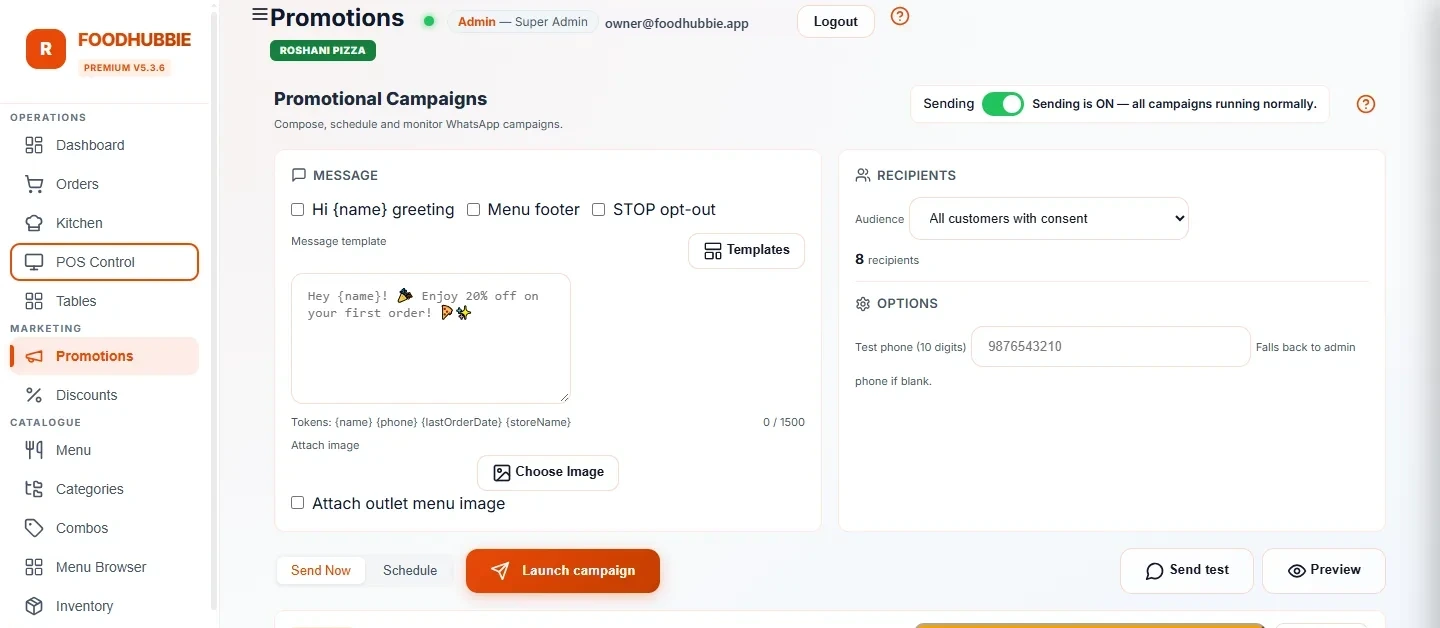
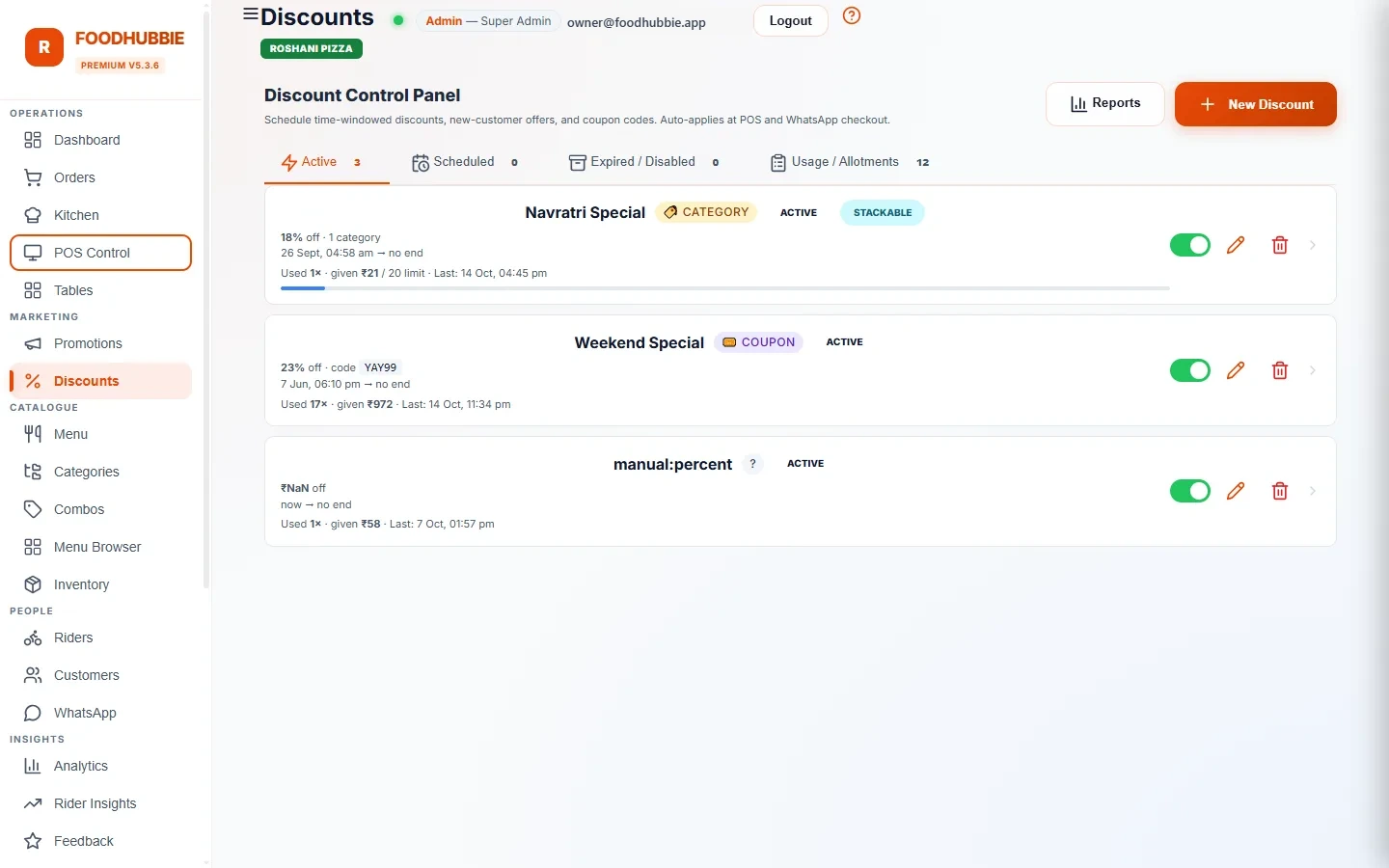
Campaigns and offers, in the same place
How a campaign runs
Customers with promotional consent. The count is shown before sending and is capped at 300 recipients per campaign.
Offer, discount, festive or win-back shells in English or Hinglish. Fill the offer in; the approved structure stays intact.
A test send shows exactly what the customer will receive before anyone else gets it.
Sends are paced, progress is visible, and one button pauses or stops everything if something is wrong.
Campaigns run only on the official WhatsApp connection — see WhatsApp ordering for the difference. The offers themselves are the same engine described in POS and billing.
What it does for the restaurant
Send to everyone who opted in, or narrow by spend and last visit — the quiet high-spender is one filter away, not buried in a spreadsheet.
The coupon in the message is created in the same discount engine the counter uses, so it works at the till without anyone re-entering it.
Friday-evening offer, Sunday brunch reminder, birthday month. Compose once, schedule it, and it does not depend on someone remembering.
Approved templates through Meta's Cloud API, spaced out rather than blasted — and promotional sending is refused entirely on an unofficial connection.
A single control stops all outgoing promotional sending — for a wrong price, a closed kitchen or a message that went out before it was ready.
Campaigns sit next to order and revenue reports, so a promotion can be judged by orders, not by how many messages were delivered.
Blasting from a personal phone vs a campaign tool
Copy-pasting an offer into WhatsApp from your own phone is free and feels fine — until the number gets reported. The difference is not the message, it is the sending route and the list.
| Personal phone blast | FoodHubbie campaigns | |
|---|---|---|
| Sending route | Unofficial — the number can be restricted | Meta Cloud API with approved templates |
| Audience | Any saved contact, consented or not | Only customers with recorded consent |
| Volume control | One long paste, all at once | Paced, capped at 300 per campaign |
| Opt-out | Manual, easily missed | STOP honoured automatically |
| Proof it worked | Nobody knows | Campaign progress beside order and revenue data |
WhatsApp marketing questions, answered plainly
Can I message customers who never ordered from me?
No. A campaign only targets customers whose promotional consent is recorded against their profile — usually collected when they order or when they agree to offers. Imported numbers without consent are not a legitimate audience and are not something the campaign builder creates.
How many messages can one campaign send?
A campaign is capped at 300 recipients. Sends are paced rather than blasted in one burst, and a campaign can be paused or stopped entirely from the dashboard while it runs.
What happens when a customer replies STOP?
STOP is honoured immediately and that customer is removed from promotional sends. Transactional messages about an order already in progress are separate and continue.
Do I need approved templates to send an offer?
Yes. Marketing messages outside an open conversation must use a template approved by Meta. The composer starts from ready-made shells — offers, discounts, festive and win-back, in English and Hinglish — and fills in the offer details, so nothing is written from scratch.
What does a campaign cost?
Promotional messages are ₹1 each on the WhatsApp Official plans. WhatsApp's own conversation charges for the official API apply separately, and campaigns run only on the official connection — promotional sending is disabled on unofficial connections.
Put the customer book to work
Rates are on the pricing page — ₹1 per promotional message, no agency retainer.
Start free trial → WhatsApp us