Billing that starts before the customer reaches the counter
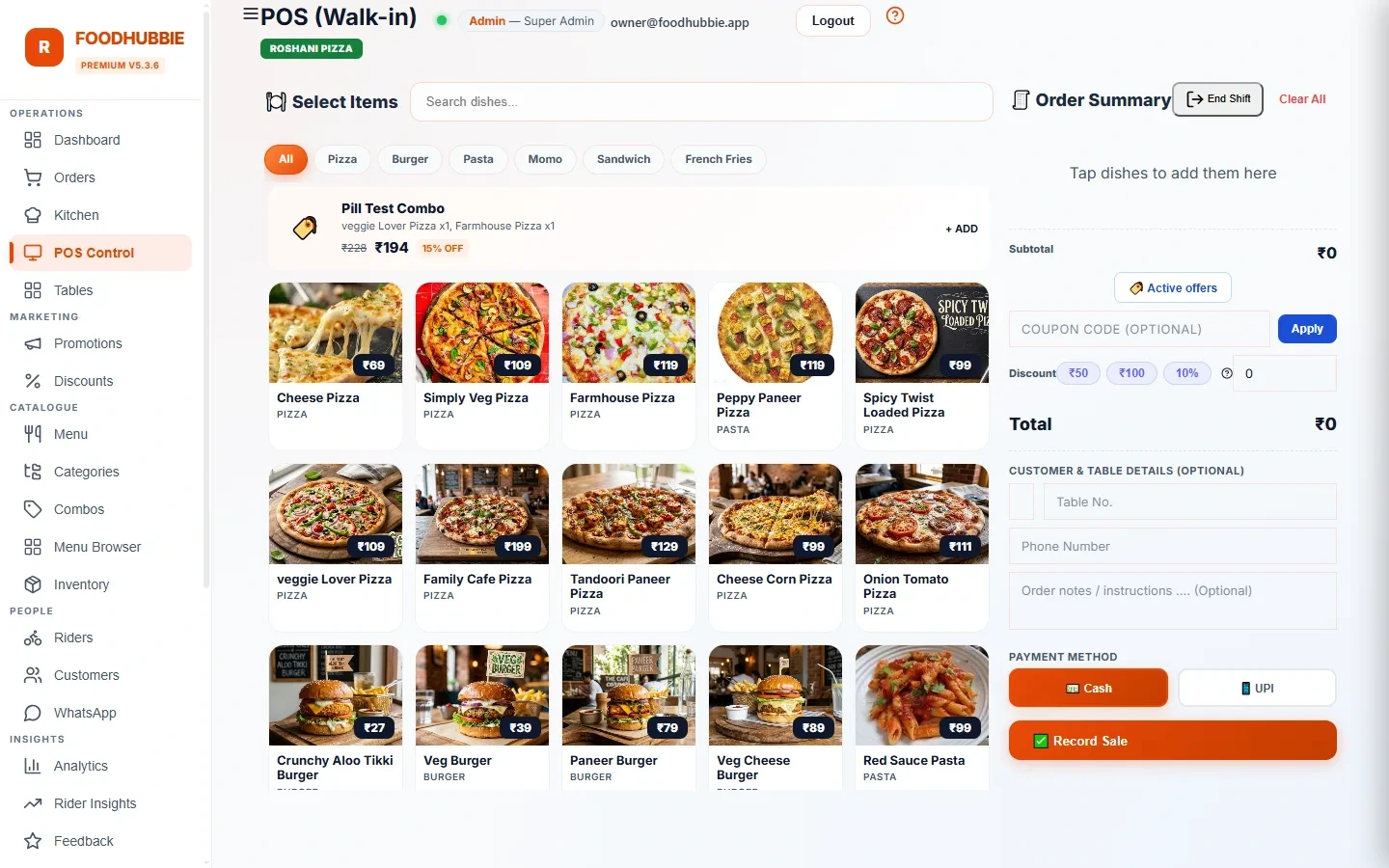
In most Indian restaurants the cashier is a bottleneck: the waiter shouts an order, the cashier re-enters it, the kitchen misreads it, the bill gets argued over. FoodHubbie's POS removes all three loops — QR orders arrive pre-entered with the table number, dine-in staff bill from the live table session, and delivery orders come in with the rider flow already attached. The cashier confirms and closes; they don't transcribe.
Where the money gets clean
Why Indian restaurants pick it
QR and delivery orders appear pre-entered. The cashier confirms rather than re-types — the #1 source of wrong bills disappears.
Split bills are a first-class feature: groups with their own items, customer-requested from the table, accepted or rejected at the POS before close.
Most POS software in India charges per month whether you sell 10 plates or 1,000. FoodHubbie charges per order — a slow Tuesday costs almost nothing.
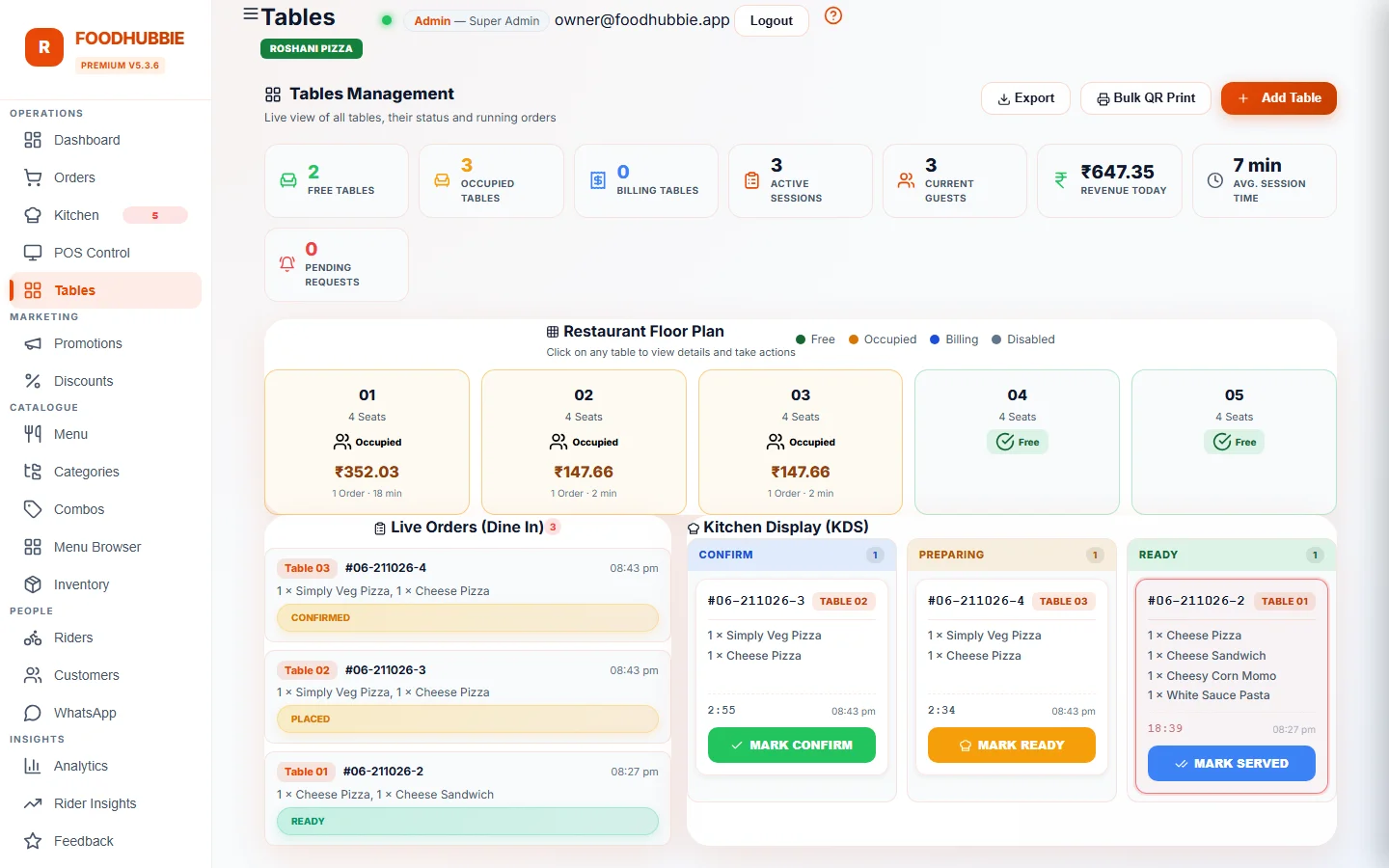
The kitchen display shows exactly what will be billed. When the POS closes a table, the kitchen knows — no shouting across the counter.
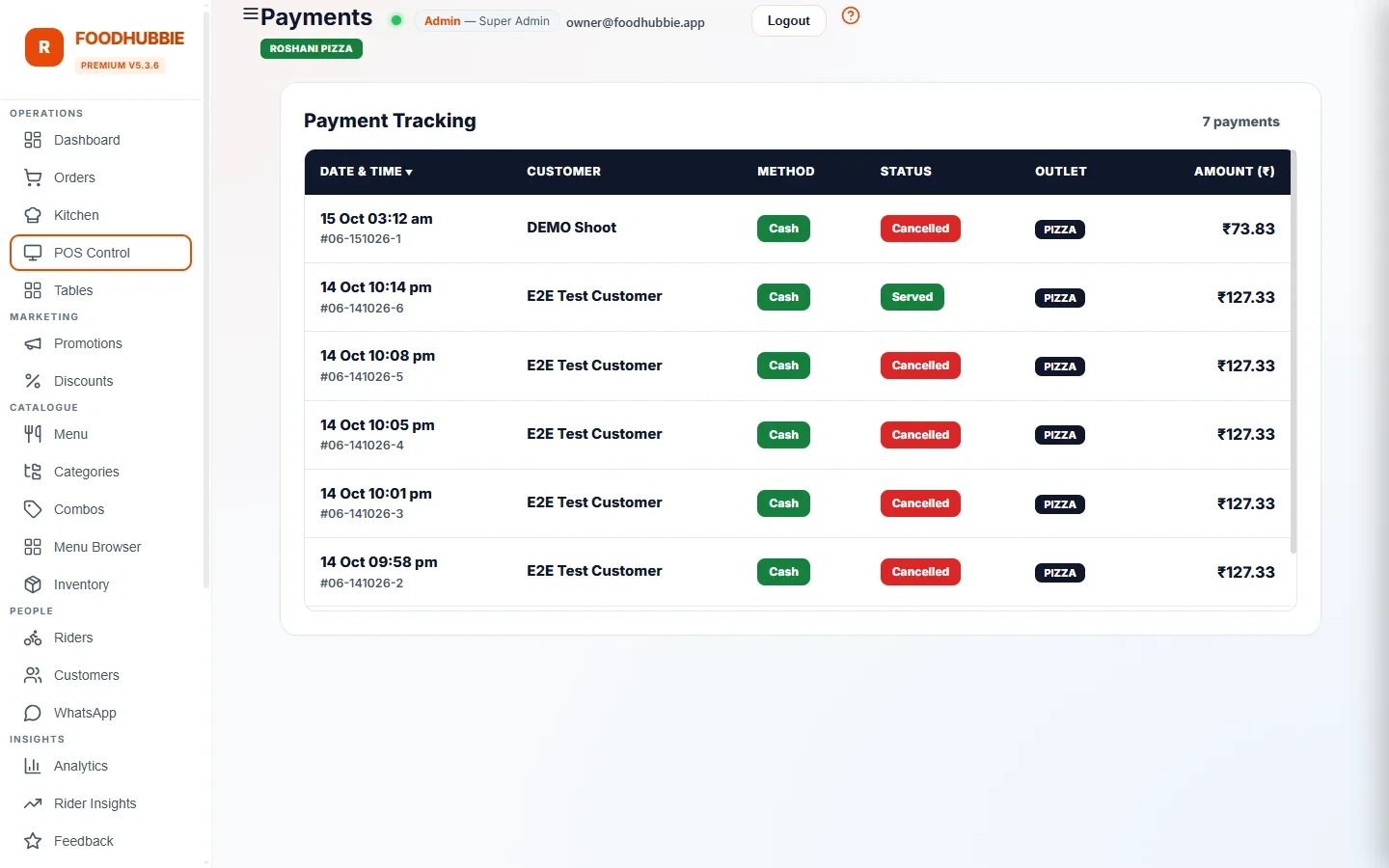
Revenue by channel, top items, discounts used, rider performance — plus a CSV export of any day's billing for your accountant.
No hardware purchase, no installation visits. Runs in the browser and on phones; your printed table QRs are generated for you.
POS questions, answered plainly
Does it run on a normal laptop or tablet?
Yes. The POS is a browser app — any laptop, tablet or desktop with a modern browser can be the cashier screen, and phones can run it as a backup.
Can I use it without internet?
No. FoodHubbie is a live cloud system, so the POS, kitchen display and rider app need an internet connection; there is no offline-first mode.
What is POS software in a restaurant?
Restaurant POS (point of sale) software is the screen your cashier uses to take orders, calculate bills, track which tables owe money, and close the day. FoodHubbie's POS goes further: the same screen receives QR table orders and delivery orders automatically — the cashier bills what the kitchen is already cooking, instead of re-entering it.
How much does restaurant POS software cost in India?
Most Indian POS vendors charge ₹1,500–5,000 per month. FoodHubbie charges a flat ₹1–5 per order (by plan) plus a one-time ₹500 setup — quiet days cost almost nothing, and the free trial covers every feature.
Does the POS work with QR code table orders?
Yes — that is the core of FoodHubbie. Customers order from the table QR, the order lands in the kitchen and the cashier's POS with the table number pre-attached. The cashier never re-types an order a customer already placed.
Can I split a table's bill?
Yes. A table session can hold multiple bill groups. Customers request their own bill from their phone, the cashier sees exactly which items belong to which group and accepts or rejects before closing — no shorthand math on paper.
What reports does the POS give me?
Item-level sales, revenue by channel (dine-in / QR / delivery), discounts used, rider delivery performance, and a one-click CSV export of any day's billing — all under Reports in the admin dashboard.
What an Indian restaurant bill actually needs
A bill is not just the sum of the items. The cashier has to get the tax right, apply the discount that was promised, split it three ways for a group, and still close the day with a total that matches the drawer. The POS is built around those four jobs.
Tax is calculated on the net after discounts, and service charge stays a separate, visible line — so the bill matches what your accountant expects.
Global, category, coupon and new-customer discounts are scored by the same engine whether the order came from the counter, a table QR or WhatsApp. No manual override.
A table session can hold several bill groups. Each group's items stay attached to it, and the cashier accepts or rejects a customer's bill request before closing.
Revenue by channel, discounts used, cancelled orders excluded and a CSV export of the day — numbers that reconcile instead of being re-typed into a notebook.
The kitchen side of the same order is covered in kitchen display (KDS); the table side is in QR ordering.
POS software vs a monthly suite
Both will print a bill. The difference shows up in what you pay on a slow month, how long setup takes, and which modules cost extra.
| FoodHubbie | Typical monthly POS suite | |
|---|---|---|
| Pricing | ₹1–5 per order + ₹500 setup | ₹1,500–5,000+ per month |
| Hardware | Your existing phone, tablet or laptop | Terminal, printer, installation visit in many cases |
| QR table ordering | Included, same live order list | Often a separate module or plan |
| Kitchen display | Included | Sometimes an add-on |
| Rider management | Included, with OTP handoff | Usually a paid delivery module |
| Contract | No lock-in, no monthly minimum | Annual plans are common |
The full breakdown, including where a monthly suite is genuinely the better choice, is in the Petpooja and Posist comparison. Rates are on the pricing page.
A day on the POS
Tables, staff accounts and the live order list load in the browser — no installation and no terminal boot sequence.
Counter orders are billed at the POS; QR orders land with the table number attached; delivery orders arrive with the rider flow ready.
Groups request their own bill from the table. The cashier applies the right discount, closes each group, and the kitchen sees the table finish.
Channel-wise revenue, discounts used and cancelled orders are already separated. Export the day as CSV for the accountant.
Running delivery alongside dine-in? Rider management keeps the delivery side on the same order list, and use cases shows how cafés, QSR and cloud kitchens differ.
Run your next dinner service on it
The free trial includes the POS, QR ordering and the kitchen display. Set up in a day, billed ₹1–5 per order after that.
Start free trial → WhatsApp us